Volt Executor — Free Roblox Executor for PC & Mobile
A modern, fully cross-platform Roblox Lua executor for Windows, macOS, Android, iOS and VNG. Level 8 with ~100% UNC, built-in cloud script hub (50,000+ scripts), Monaco-powered editor, and a keyless workflow — no Linkvertise, no checkpoints. Launch, attach, execute.
Quick Specifications
| Specification | Details |
|---|---|
| Version | Windows v2.4.1 · macOS v1.2.8 · Android v5.1.2 · iOS v1.0.4 · VNG build |
| Developer | Volt Execution Team |
| Latest update | August 2026 (Build 9924.A-Release) |
| Platforms | Windows, macOS, Android, iOS + VNG |
| License | Freemium — free download, keyless execution |
| Requirements | Win 10/11 64-bit · macOS 12+ · Android 9.0+ · iOS 14.0+ |
| File size | Win 34.2 MB · macOS 48.1 MB · Android 112.5 MB · iOS 140.2 MB |
| Language | English |
| Official website | voltexecutorfree.com |
What is Volt Executor?
Volt Executor is a script executor that injects custom Lua/Luau scripts into the Roblox client at runtime. Run auto-farming, ESP/chams overlays, GUI hubs, and custom tools beyond the stock client.
🎯 Main use cases
- Auto-farming in grind-heavy games
- Running GUI hubs
- Testing custom scripts
- Drawing-library tools (ESP, chams)
⚙ How it works
Volt loads a kernel-level execution layer into Roblox, providing a Level 8 environment with access to most Roblox services. Paste or pick a script, hit Execute.
Core differentiator: Volt is keyless — the execution environment opens without an external key system, removing the biggest barrier for new users. A dedicated VNG build targets the Vietnamese VNG-published Roblox client with the same engine.
Key Features
◈ ~100% UNC / Level 8
Full Universal Naming Convention environment. Heavy Lua UI hubs and drawing libraries (Drawing.new()) run without missing-function errors. High compatibility.
🔑 Keyless Architecture
No Linkvertise redirects, no 24-hour re-key checkpoints, no hidden paywalls. From download to execution in minutes.
☍ Cloud Script Hub
Native, cloud-synced library of 50,000+ pre-verified scripts in the UI. Curated, kept current, marked safe — one click away.
📝 Monaco Code Editor
The same editor behind VS Code: Luau syntax highlighting, auto-completion, minimap, multi-cursor editing.
📁 Script Manager
Drag-and-drop folders, one-click execute, auto-saving tabs, instant search.
🔍 Built-in Decompiler
Reverse-engineer local scripts: raw bytecode, hidden game logic, save decompiled places.
🛡 Kernel-Level Injection
Custom injection sequence stays ahead of Byfron/Hyperion with silent memory manipulation. No tool guarantees zero risk — see Safety.
🔄 Cross-Platform Sync
Login persists your setup. The same environment — and mobile float menu — works identically on every screen.
Supported Platforms
🤖 Android — v5.1.2 (112.5 MB)
Ships as an APK acting as a modified replacement client. Log in through Volt; a floating icon opens the script editor. Requires Android 9.0+, unknown sources enabled.
🖥 Windows — v2.4.1 (34.2 MB)
Traditional .exe installer for Windows 10/11 64-bit. Run as Administrator for best compatibility.
macOS — v1.2.8 (48.1 MB)
Native .dmg supporting Intel and Apple Silicon (M-series). Opens via standard Gatekeeper flow.
📱 iOS / iPadOS — v1.0.4 (140.2 MB)
Distributed as an .ipa sideload package for iOS 14.0+. Install via AltStore, Sideloadly, or Scarlet, then trust the profile.
VNG VNG Build
A dedicated build tuned for the VNG-published Roblox client used in Southeast Asia. Same keyless Level 8 engine, pre-tuned for VNG's patched client version. Grab it from the download block below.
System Requirements
⚡ Minimum
- OS: Win 10 · macOS 12 · Android 9 · iOS 14
- Hardware: 2 GB RAM, dual-core CPU
- Storage: 200 MB free
- Network: Broadband / 4G
🚀 Recommended
- OS: Win 11 · macOS 13+ · Android 12+ · iOS 16+
- Hardware: 4 GB+ RAM, quad-core CPU
- Storage: 1 GB free
- Network: Stable 4G/5G or wired
Desktop versions perform best when Roblox itself runs well — meet Roblox's own PC requirements first.
Installation Guide
🤖 Android (v5.1.2)
- Uninstall the official Roblox app — the Volt APK is a modified replacement client.
- Download the
Volt-5.1.2.apk. - Enable "Install from unknown sources" when prompted.
- Open the APK and install.
- Log in and grant storage permissions.
🖥 Windows (v2.4.1)
- Download the
Volt-2.4.1.exeinstaller. - Add your download folder to Windows Defender exclusions — executors are frequently flagged as false positives.
- Run the installer and follow the prompts.
- Launch
Volt.exeas Administrator. - Allow the app through SmartScreen if prompted.
macOS (v1.2.8)
- Download the
Volt-1.2.8.dmg. - Open the DMG and drag Volt to Applications.
- System Settings → Privacy & Security → click "Open Anyway" if Gatekeeper blocks it.
- Launch Volt.
On Apple Silicon, macOS may ask for permission due to code-signing — expected for unsigned executables.
📱 iOS / iPadOS (v1.0.4)
- Install a sideloading tool — AltStore, Sideloadly, or Scarlet.
- Download the
Volt-1.0.4.ipa. - Sideload the IPA (free Apple accounts re-sign every 7 days).
- Settings → General → VPN & Device Management → trust the Volt developer profile.
- Launch Volt and log in.
VNG VNG Build
- Download the
Volt-VNG.apkfrom the download block. - Uninstall any stock/VNG Roblox client.
- Enable "Install from unknown sources".
- Install and log in through the VNG Volt client.
How to Use
- Download and install the build for your platform.
- Launch Volt (as Administrator on Windows).
- On desktop open Roblox and join any game; on mobile log into the Volt replacement client.
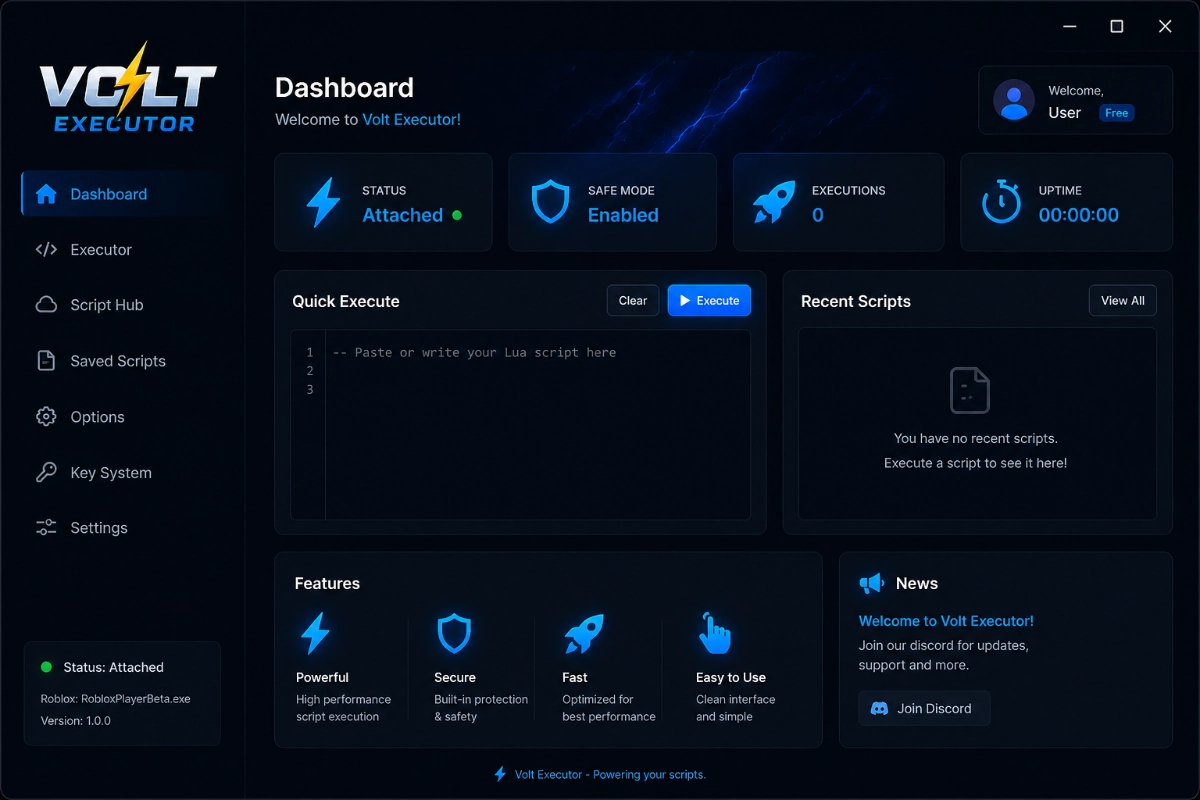
- Click Attach to inject the execution layer.
- Write or paste your script into the Monaco editor.
- Press Execute — effects appear in-game immediately.
- On mobile, use the floating icon to open/close the executor.
- Keep Volt updated — check for a new release after each Roblox update.
Safety
✓ Privacy
Volt does not collect or log personal data in normal operation. Use an alternate/alt account to protect your main account.
🎯 Official sources
Only download from the official website and official GitHub repository. Fake "Volt" pages and cracked-key ads are the real malware risk.
Known risks
- Account bans: Script execution violates Roblox ToS; volatile games can detect and ban.
- False antivirus flags: Defender and third-party AVs block the download — expected.
- iOS sideload expiry: Free Apple accounts re-sign every 7 days.
Security recommendations
- Whitelist the Volt folder in antivirus rather than disabling protection.
- Download only from official links — never YouTube descriptions or shady mirrors.
- Run only verified cloud-hub scripts or sources you trust.
- Use an alt account for execution.
Common Problems
🔧 Installation
- Win Runtime error / SmartScreen: add a Defender exclusion and run as Administrator.
- macOS "damaged": right-click → Open, or "Open Anyway".
- iOS won't trust: re-verify the profile; re-sign if the 7-day cert expired.
- Android parse error: ensure a full APK download and unknown sources enabled.
⚙ Compatibility & Performance
- Won't attach: update to the latest release.
- VNG attach error: make sure you're on the VNG build, not the global one.
- Script errors: confirm your script targets Volt's Level 8 environment.
- Sudden "outdated": Roblox updated — grab the new release.
- Crashes on teleport: update; v2.4.1 includes a teleport-crash fix.
- Heavy hubs lag: install Visual C++ Redistributables on PC; clear cache on mobile.
Version History
⚑ v2.4.1 + VNG — Build 9924.A-Release · August 2026
- Added: Hyperion v4.2 kernel hook — rewritten injection sequence.
- Added: dedicated VNG build for the VNG-published Roblox client.
- Improved: Luau execution speed — up to 40% faster for heavy GUI hubs.
- Improved: Monaco editor themes and auto-completion.
- Fixed: Crash when teleporting between places while attached.
v2.4.0 (Major)
- Added Script Manager with folder organization and one-click execute.
- Expanded cloud hub to 50,000+ verified scripts.
- Improved memory management for longer sessions.
v2.3.8 (Hotfix) · v2.3.5
- v2.3.8: fixed mobile float-menu crash; rapid re-attach stability.
- v2.3.5: added macOS Apple Silicon native build and iOS IPA release.
Desktop builds track the Roblox client closely; expect a hotfix within hours-to-days of each update. Mobile builds update independently.
Comparison
| Product | Platforms | Key | Price | Best for |
|---|---|---|---|---|
| Volt Executor | Win · macOS · Android · iOS · VNG | Keyless | Free | Cross-platform, mobile grinders |
| Synapse Z | Windows | Keyed | Free | Desktop power users |
| Seliware (L8) | Windows | Subscription | ~$9.99/mo | Stable paid desktop |
| Delta | Windows, Android | Keyed | Freemium | Android + PC |
| Potassium | Windows | Subscription | ~$22.99 | Feature-rich desktop |
| Hydrogen / Fluxus | Windows, Android | Freemium | Free | Budget mobile |
✅ Strengths
- Only major option with a first-party macOS, iOS and VNG build
- Keyless convenience
- Cloud script hub + consistent cross-platform UI
⚠ Weaknesses
- No Linux or web build
- Mobile replacement-client model requires uninstalling official Roblox
- iOS sideload re-signs every 7 days on free accounts
FAQ
1. Is Volt Executor free?
Yes. The core is keyless and free to download. No subscription required for standard execution.
2. What is the VNG version of Volt?
VNG is a dedicated Volt build tuned for the VNG-published Roblox client used in Southeast Asia. It keeps the same keyless Level 8 engine and applies a VNG-specific injection patch automatically.
3. Do I need a key or Linkvertise to use it?
No. Volt removes the key system entirely — no redirects, no 24-hour checkpoints.
4. Is Volt detected by Roblox anti-cheat?
Volt is designed to bypass Byfron/Hyperion, but no executor is guaranteed undetectable forever. Use an alt account for safety.
5. Will Volt work after a Roblox update?
Usually within a short window — the team releases hotfixes when the client changes. Check the GitHub release feed.
6. Can I use the same scripts on PC and mobile?
Yes — scripts run in the same Level 8 environment across platforms.
7. Why does Chrome block the download?
Chrome's Safe Browsing flags executor files exactly like Defender does — a false positive. Use another browser for the download.
8. Which build should I pick if I use VNG Roblox?
Choose the VNG build in the download block. The global build is optimized for the standard international Roblox client.
9. Do I need to jailbreak or root my phone?
No. Android and iOS versions run without root or jailbreak.
10. Why does the iOS app disappear after a week?
Free Apple IDs sideloaded via AltStore/Sideloadly expire every 7 days. Re-sign to continue; a paid developer account lasts 1 year.
11. Does Volt save my scripts?
Yes — the Script Manager auto-saves tabs locally and keeps your library organized.
12. Can Volt run multi-instance?
On desktop, yes — Volt supports attaching to more than one Roblox process.
13. Does Volt work with drawing libraries (ESP, chams)?
Yes. The Level 8 environment supports Drawing and standard Roblox services.
14. What if a script does nothing?
Confirm the game loaded fully, re-attach, and verify you're on the latest build. Try the hub-hosted version from the cloud library.
15. Is my main account at risk?
Executing scripts breaches Roblox ToS, so bans are possible. Volt doesn't log credentials, but use an alt account anyway.
Related Products
If Volt isn't right for you, closest alternatives: Synapse Z (free, Windows-only, keyed), Delta (Windows + Android, freemium), and Seliware Level 8 (paid subscription Windows).
Download Volt Executor
Free · Keyless · Level 8 · Ready in minutes. Pick your platform to start.
Official source & release notes:
Share Volt Executor
Know someone who plays Roblox on PC or mobile — send them the keyless way to execute scripts.